HoT Slovenija
All You Need to Know

Where to buy
Purchase a HoT SIM card for only € 1,99 at any HOFER store nationwide.
Find one near you today! Visit your local HOFER store.
Of course you can order your SIM-Card or eSIM right here in our webshop.
How to activate
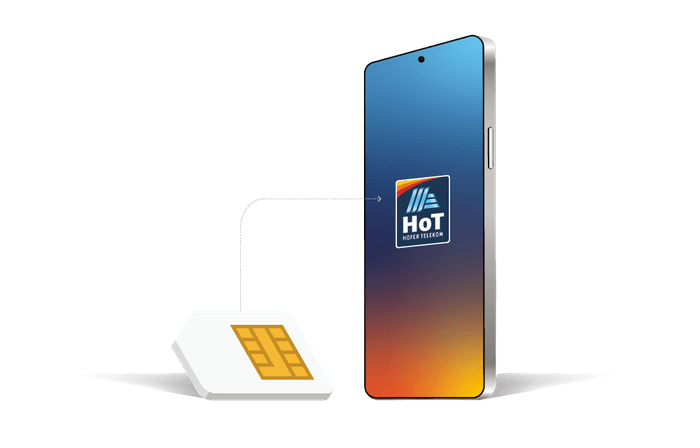
To activate your new HoT Sim card simply place a call, send a text message or surf the web.
You should then receive a short text message from 696 saying “Welcome! Your HoT Sim Card is now activated”.
Some phones will receive another text message from an unknown sender. This needs to be installed on your device in order to use the internet and MMS services.
Get the "MojHoT" App
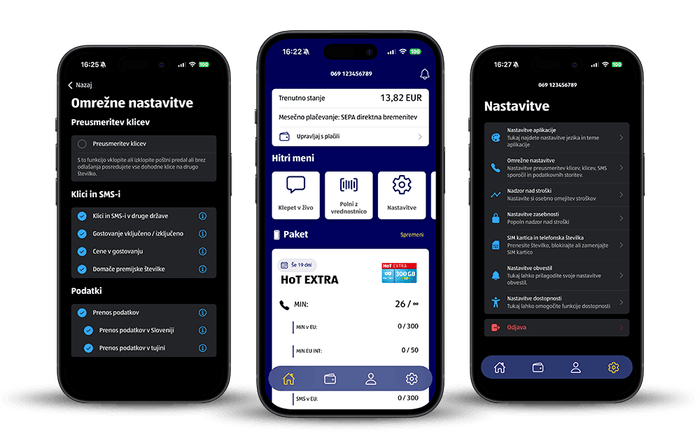
Search for „MojHoT“ in the app store and download the app. Login with your phone number. You will see your current usage, your tariff package and your settings.



How to top up your HoT SIM card
You can instantly top up your HoT SIM card online through HoT.si or by purchasing a voucher card at any HOFER store nationwide.
Redeem a voucher with your phone
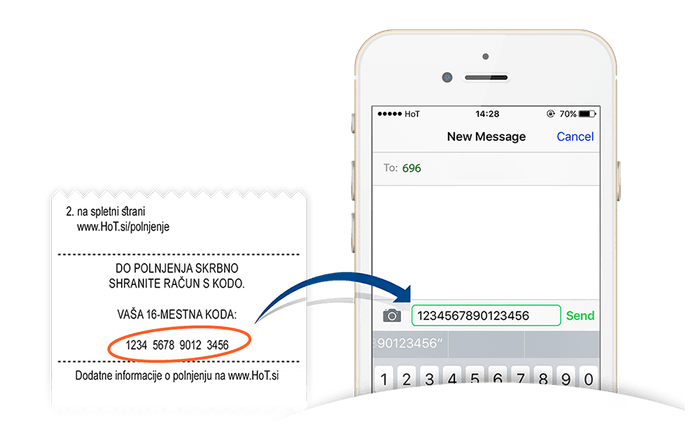
Just send a text message to 696 from your HoT Phone containing the 16 digit voucher code.
Redeem a voucher online
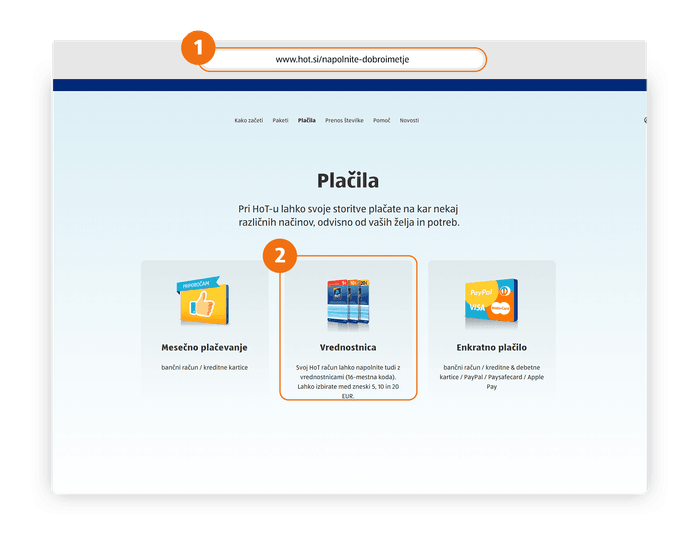
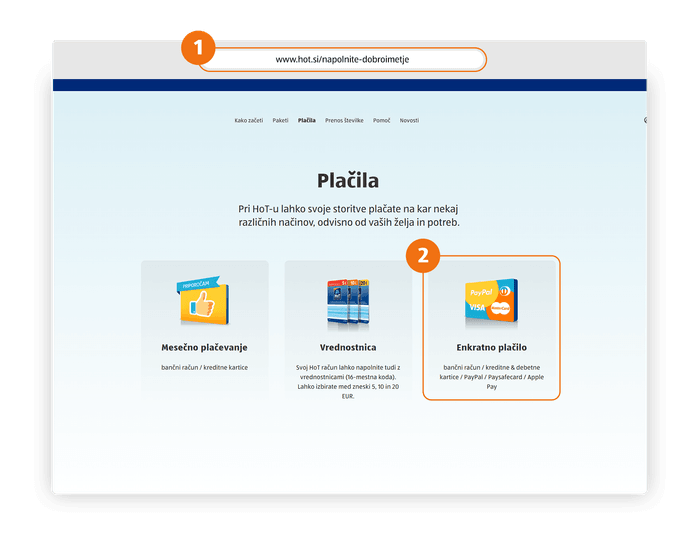
2
Click "Vrednostnica"
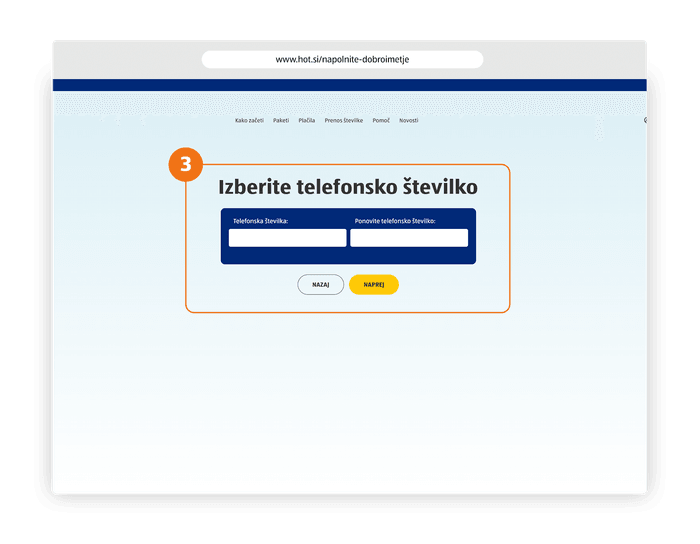
3
Enter your phone number in the first two input fields
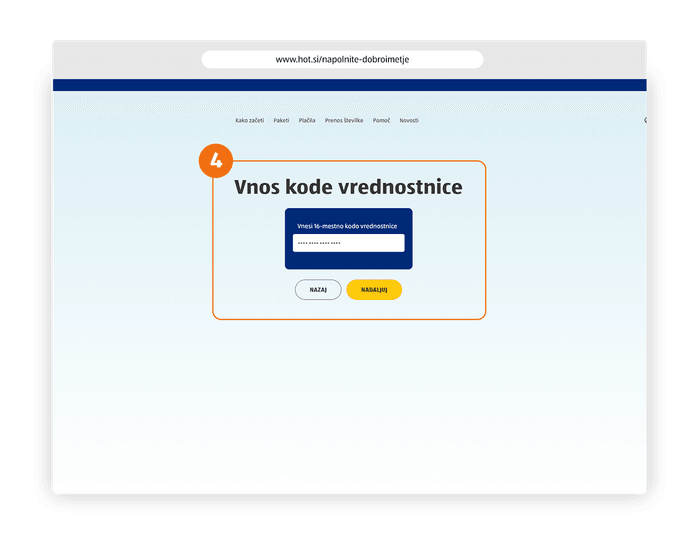
4
Enter your 16 digit voucher code in the 4 fields below.
Click on the button “NADALJUJ”.
You will then receive a text message confirming your top up.
Top Up using Paypal, Online Banking or Credit Card
- Go to www.hot.si/napolnite-dobroimetje
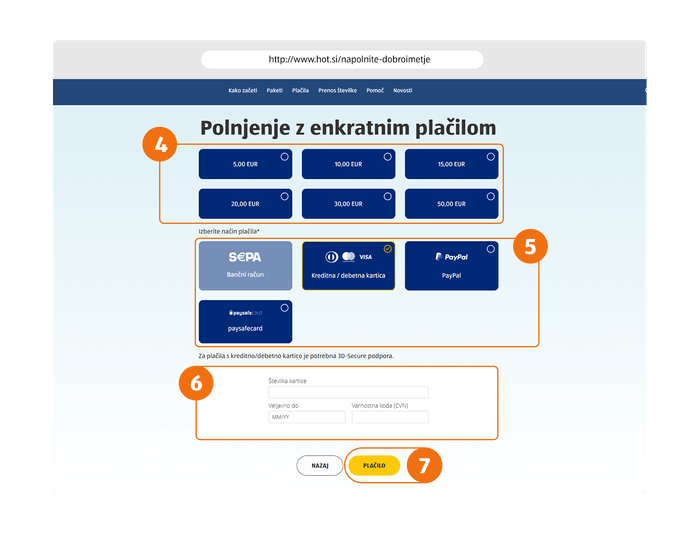
- Click Enkratno plačilo
- Enter your phone number in the first two input fields
- Choose your top-up amount
- Choose your payment method (PayPal, Paysafe card, Maestro credit card, Diners / Mastercard / Visa)
- Type in your account or credit card information
- Click on the yellow button “Plačilo“. You will receive a text message confirming your top up
How to choose your tariff
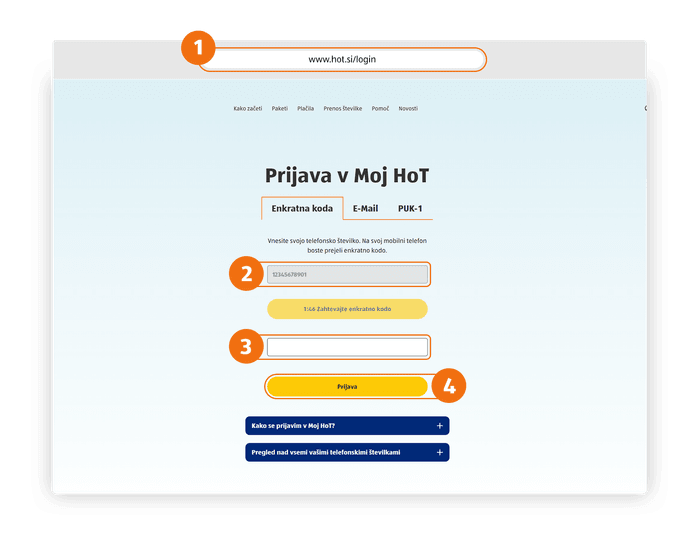
Log in to your HoT account
- Go to www.hot.si/login page and enter your phone number
- Click on the “Prijava” button and you will receive a text message with a one-time code
- Enter the one-time code in the “Enkratno PIN-geslo” field
- Click on “Prijava” to enter your account
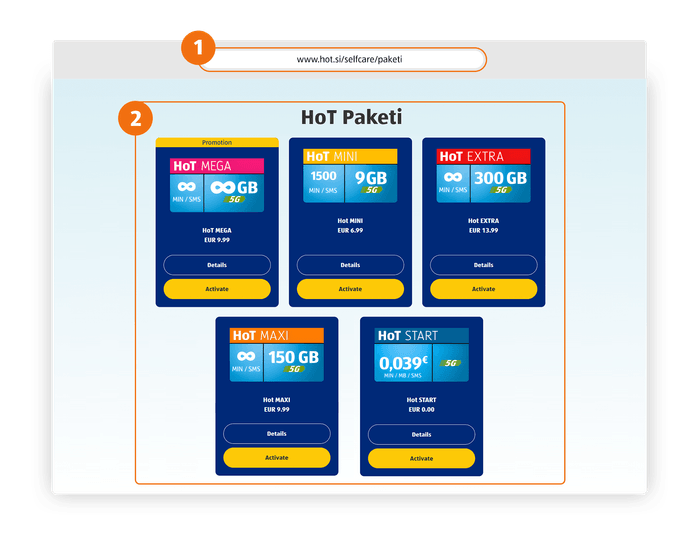
Choose your tariff
- Navigate to “Paketi”
- Select your preferred tariff package by clicking on it
- An alert box will appear, click on the orange button to activate your tariff package. You will receive a text message confirming the activation and your activated package will be set to "veljaven".
As long as you have enough balance, your tariff package will be automatically prolonged every 30 days. In case you do not have enough balance, the package will be closed and you fall back to the HoT Start tariff where you pay as you go. You will get an SMS if your package cannot be prolonged. In this case Top UP your number first and then activate your tariff package again.
You can download all the above as a PDF-file.